
Hacking the University of Prishtina or SEMS, legally ;)

Overview
During a legal security assessment of the University of Prishtina’s Student Electronic Management System (SEMS), we identified a vulnerability chain that allowed a low-privileged student account to take over any professor account without requiring any interaction from the victim.
The issue started with a Broken Access Control vulnerability in the profile update functionality. On its own, the flaw allowed an attacker to modify another user’s profile information, including their registered email address. Combined with the application’s password reset functionality, it resulted in a complete zero-click account takeover.
This article walks through how we discovered the issue, how the vulnerabilities were chained, and why authorization checks around seemingly simple profile functionality matter.
The Discovery
SEMS is one of the University of Prishtina’s core platforms and serves more than 158,000 students, professors, and administrative staff.
During the assessment, we identified a Broken Access Control vulnerability in the profile update functionality exposed through:
POST /Profile/EditProfileThe endpoint accepted multiple user-controlled identifiers but did not properly verify that the authenticated user was authorized to modify the referenced account.
Understanding the Vulnerability
To modify another account, an attacker needed two identifiers associated with the target: PerdoruesiId and User.
Both values could be enumerated through application endpoints accessible to a low-privileged user. This meant that a student account could obtain the identifiers associated with professors or other users without requiring additional privileges.
After obtaining the identifiers, we intercepted a legitimate profile update request and replaced our own values with those belonging to the target account.
The server accepted the modified request.
More importantly, the endpoint allowed us to change the email address associated with the target account without requiring the victim’s password, verifying ownership of the new email address, or performing any additional authorization check.
At this point, we could modify another user’s registered email address. The next question was whether that change could be used to gain access to the account.
The answer was in the password reset functionality.
The Attack Chain
Exploitation required two steps: changing the target account’s registered email address and then using the application’s legitimate password recovery functionality to reset its password.
No phishing or interaction from the victim was required. A standard student account was sufficient to carry out the attack.
Stage 1 – Unauthorized Email Modification
We authenticated using a legitimate student account, navigated to the profile page, selected Modify, and intercepted the request sent to:
POST /Profile/EditProfile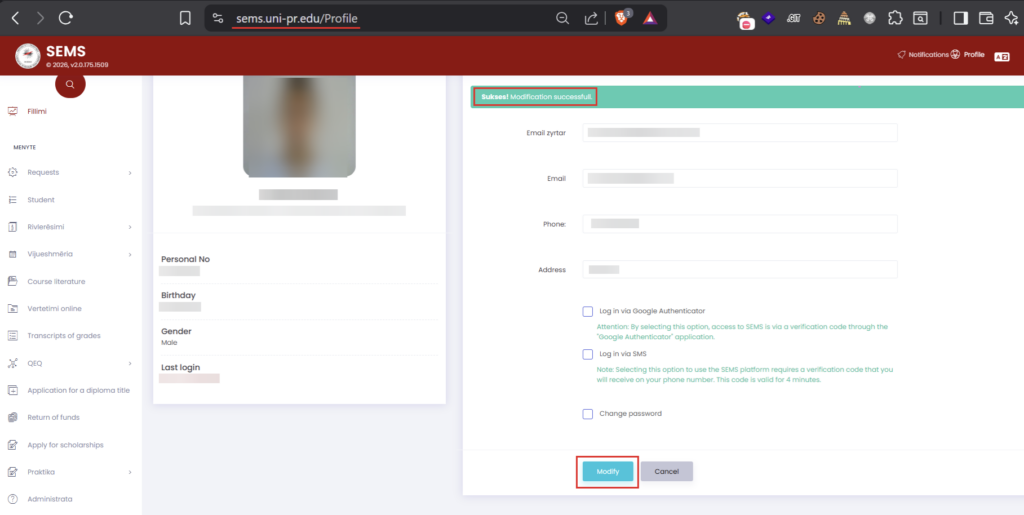
Figure 1: Modifying profile details using a student account
The request contained several parameters associated with the account being modified, including PerdoruesiId, User, GrupiId, and Email.
We replaced the relevant identifiers with those belonging to the target professor account and changed the Email parameter to an attacker-controlled address.
Because the server did not verify that the authenticated student was authorized to modify the referenced account, the request was accepted and the professor’s registered email address was changed.
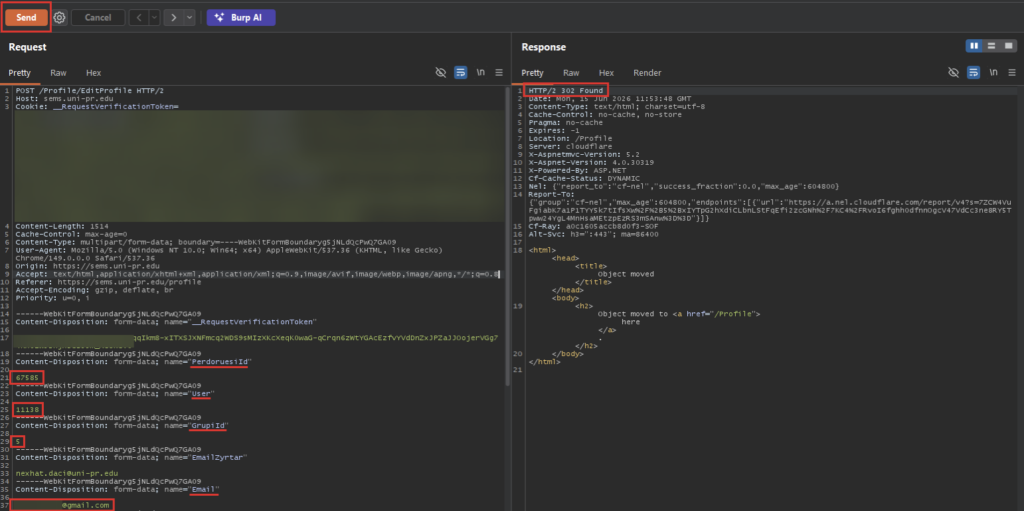
Figure 2: Successful modification of the victim’s registered email
Stage 2 – Abusing the Password Recovery Process
With the victim’s registered email now pointing to an address under our control, we moved to the application’s legitimate Forgot Password functionality at /ResetPassword.
We submitted a password reset request for the professor account.
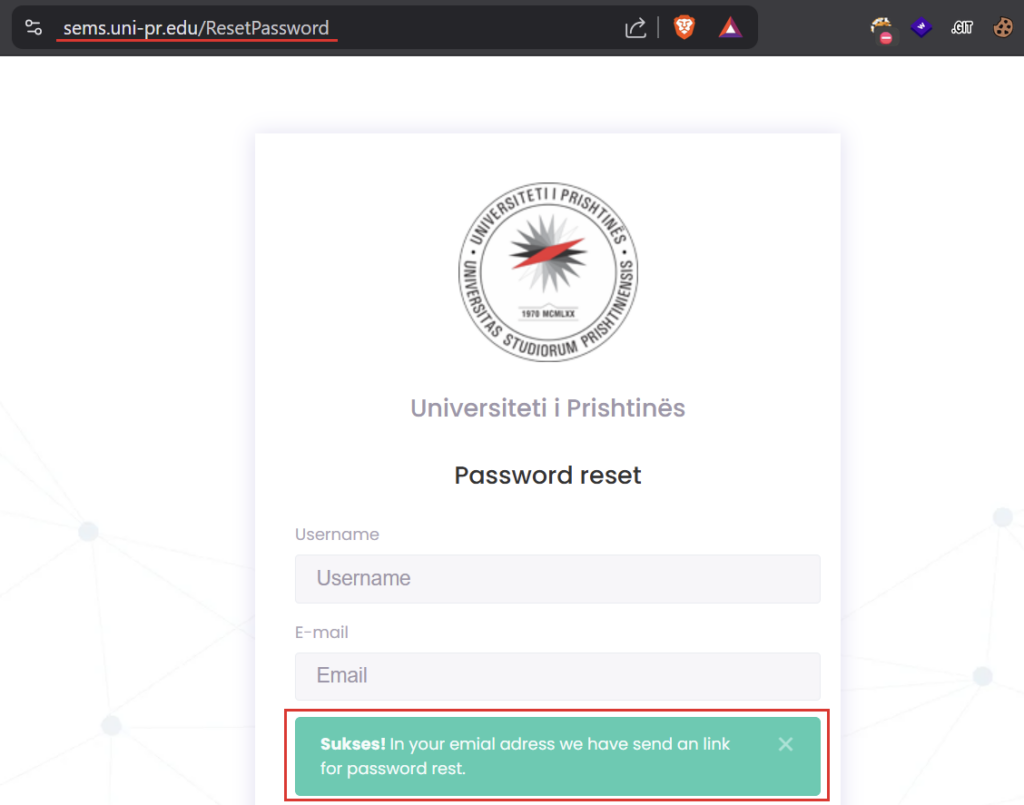
Figure 3: Password reset request submitted for the victim account
Because the account’s email address had already been changed in Stage 1, the password reset link was sent directly to our attacker-controlled mailbox.
After following the reset link, we were able to set a new password and authenticate as the professor.
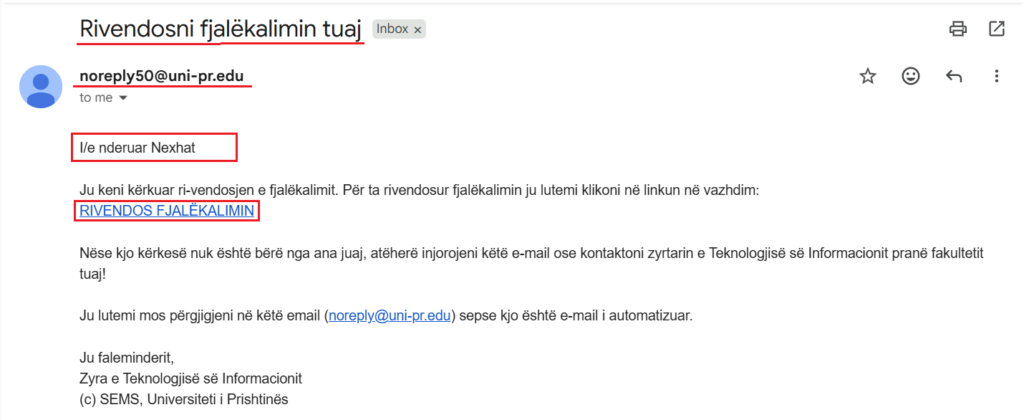
Figure 4: Password reset email received by the attacker
At this point, the account takeover was complete. The professor did not need to click a link, approve a request, or perform any other action.
Key Takeaways
The root cause of the account takeover was not the password reset functionality alone. The critical issue was the combination of two behaviors: the application allowed a low-privileged user to change another user’s registered email address, and the password recovery process trusted that email address as the destination for password reset links.
Together, these behaviors turned a Broken Access Control vulnerability into a zero-click account takeover affecting professor and other user accounts.
The final vulnerability chain was rated Critical (CVSS 9.9).
The assessment was conducted with authorization from the University of Prishtina and in coordination with its IT and security staff. The vulnerability was responsibly disclosed to the university, and remediation was subsequently implemented.
Following the remediation, we performed a retest with the university’s permission and confirmed that the account takeover path was no longer exploitable.